
SMT nozzle mispicks can interrupt production, waste components, and make placement results less consistent.
A missed pickup may point to a blocked or damaged nozzle, but the nozzle is only one part of the pickup process.
Vacuum supply, feeder alignment, component condition, and machine settings can produce similar symptoms.
The most useful first step is to identify where the failure occurs and whether it follows a particular nozzle, feeder, component, or placement head.
This guide explains the common causes of SMT mispicks and the checks that can help narrow down the problem.
What Is an SMT Nozzle Mispick?
A mispick occurs when a pick-and-place machine does not pick up a component as intended. The component may remain in the feeder pocket, be picked at an angle, or be lost during movement.
A machine may also reject a component after pickup if its vision system cannot confirm the part’s position or identity.
These events do not all have the same cause. A pickup failure should be investigated differently from a vision rejection or a component that drops during travel.
How to Troubleshoot SMT Nozzle Mispicks
1) Identify Where the Error Occurs
Start with the machine’s error message and production records.
- Component and feeder position
- Nozzle type and placement head
- Point at which the failure occurs
- Frequency of the error
- Recent changes to components, feeders, or settings
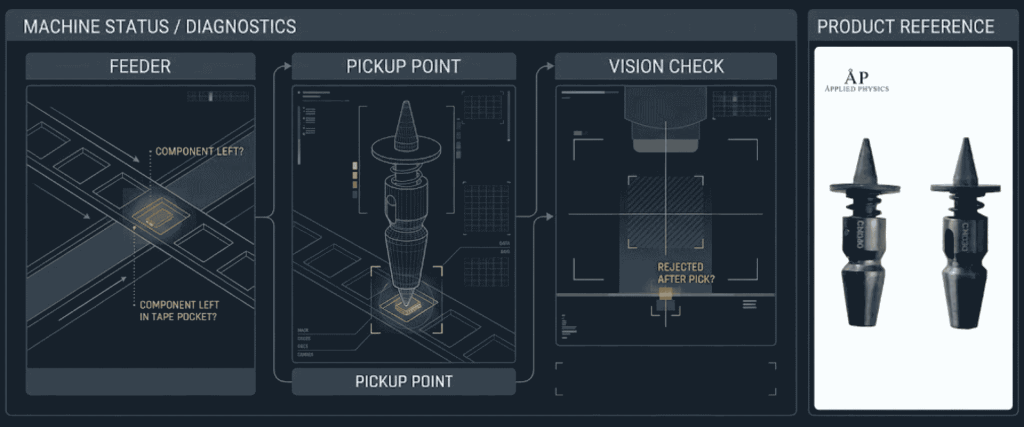
If available, review pickup or vision images. A component that remains in the tape pocket suggests a different investigation from one that is picked but later rejected.
2) Inspect the Nozzle
Stop the machine and follow the site’s safe maintenance procedure before handling the nozzle. Inspect the tip for dirt, residue, chips, uneven wear, or deformation. Check the nozzle’s movement where its design includes a sliding section.
Dust inside the nozzle can reduce pickup force, while a dirty nozzle surface can interfere with vision processing on some machines.
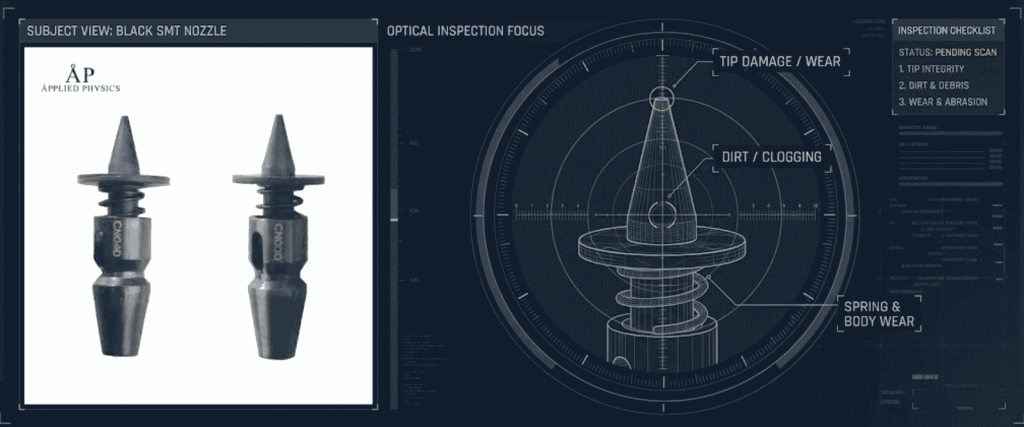
Clean the nozzle only with the approved method for its material and equipment. Do not assume that a solvent, abrasive tool, or ultrasonic cleaning process is suitable. After cleaning, inspect it again and perform the required airflow or vacuum check.
3) Check the Vacuum Path
A clean-looking nozzle can still have restricted airflow. A leak or fault elsewhere in the head’s vacuum path can also affect pickup.
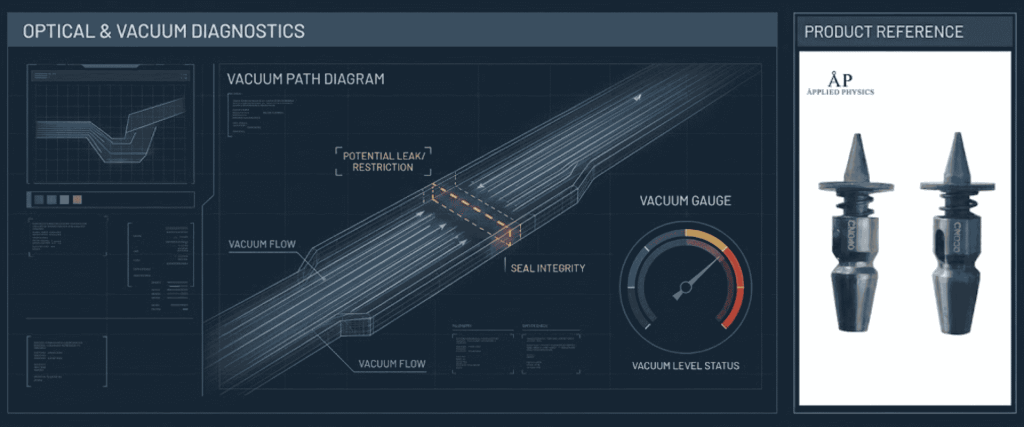
Use the machine’s approved vacuum or airflow test, if available. Compare the result with the equipment’s acceptance criteria or a known-good setup. If the nozzle passes but the problem remains at the same head, investigate the head’s vacuum path, seals, and other relevant components.
4) Confirm the Nozzle Matches the Component
A nozzle must fit the machine and head, but it must also suit the component’s usable pickup surface. A component’s package size alone does not describe the available pickup area.
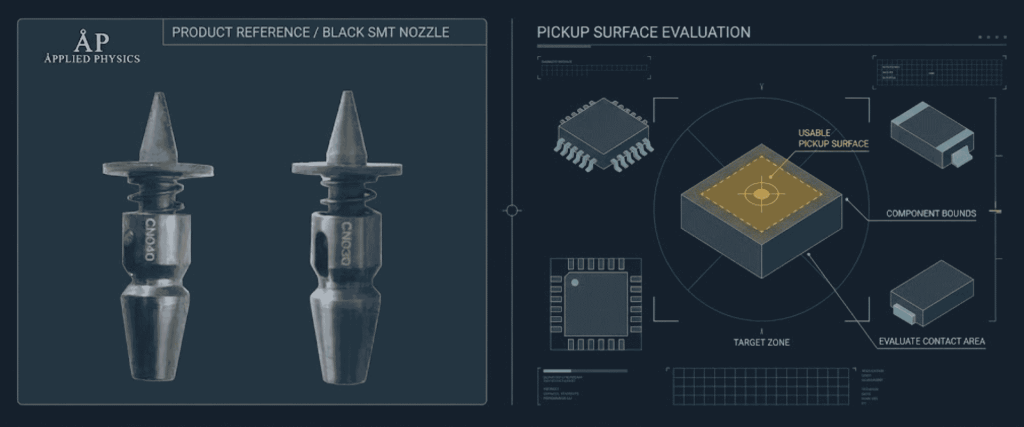
Check the component documentation, machine guidance, and nozzle specifications. Shape, pickup location, weight, and placement conditions can all matter. A component manufacturer’s application note, for example, recommends selecting a nozzle based on the actual pickup area and geometry of its contacts.
5) Check the Feeder and Pickup Settings
If errors occur mainly at one feeder position, inspect the tape and feeder before replacing multiple nozzles. Check whether components are consistently presented at the expected pickup location and orientation.
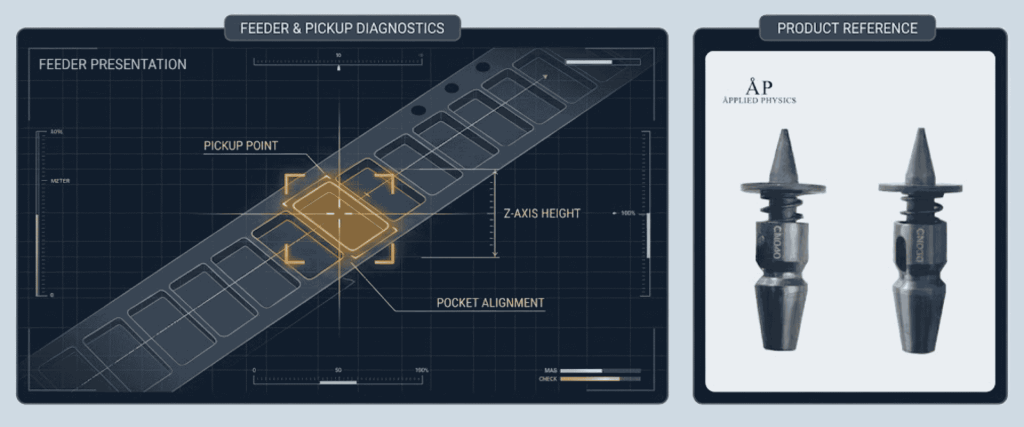
Also review the programmed pickup coordinates and height. Changes should follow the machine and component instructions; an unsuitable adjustment can create another problem or damage parts.
6) Review Vision Rejections Separately
A component may be picked successfully but rejected because the vision system cannot recognize or measure it. Review the captured image and applicable component-library settings.
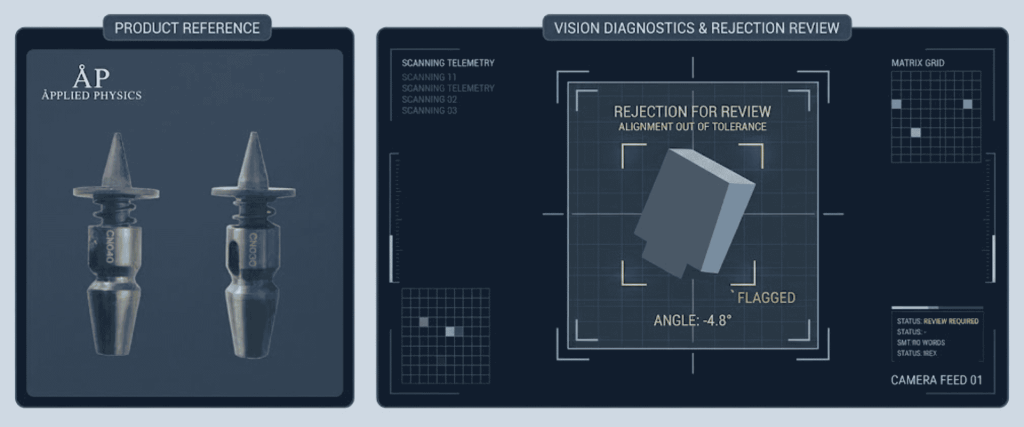
Look for an angled part, an obscured pickup area, or contamination that affects recognition. Do not assume that every vision rejection is a vacuum failure.
Common Causes of SMT Nozzle Mispicks
| Possible cause | What may happen | What to check |
|---|---|---|
| Blocked or dirty nozzle | Restricted airflow reduces reliable pickup | Inspect the tip and vacuum path |
| Worn or damaged tip | Poor contact or an uneven pickup surface | Look for chips, wear, or deformation |
| Incorrect nozzle selection | The tip may not suit the component’s pickup area | Confirm the machine, head, and component requirements |
| Vacuum-system issue | The component may not be held securely | Check vacuum at the relevant head using the approved procedure |
| Feeder or pickup-position issue | The component may not be where the nozzle expects it | Inspect tape, feeder indexing, and pickup coordinates |
| Vision or program issue | A picked component may be rejected during recognition | Review the machine’s error messages and camera images |
A production case study found that clogging, tip wear, and mechanical issues could contribute to nozzle-related vacuum degradation. It also noted that feeder conditions can affect mispick data, so an error count alone does not identify the cause.
How to Tell Whether the Nozzle Is the Cause
A controlled comparison can help narrow down the fault:
- Record the nozzle, head, feeder, and component associated with the errors.
- Inspect and test the suspect nozzle.
- Where the machine procedure permits, compare it with a compatible, known-good nozzle.
- Change one item at a time and observe whether the error follows the nozzle or remains with the head or feeder.
- Document the result before making further adjustments.
An error that follows the same nozzle makes it a stronger suspect. An error that stays with one feeder or head suggests that those parts of the process also need investigation. Confirm the result with an appropriate production trial.
Choosing a Black SMT Nozzle
The Black SMT Nozzle product page lists sizes 030, 040, 065, 140, 220, and 400 and describes them as compatible with certain placement machines. Before ordering, confirm the exact machine model, head type, nozzle part number, and intended components with the supplier.
Also request verified tip dimensions and compatibility information. The size codes should not be treated as confirmed physical dimensions without supporting documentation.
A new nozzle may resolve a worn or damaged tip, but it will not correct an incorrectly positioned feeder, vacuum-system fault, or unsuitable program.
How to Reduce Repeat Mispicks
A maintenance plan should be based on equipment guidance and production conditions rather than a single assumed cleaning interval.
- Track pickup and rejection trends by nozzle, head, feeder, and component where possible.
- Inspect and clean nozzles using approved methods.
- Remove damaged or failed nozzles from service.
- Record maintenance and replacement history.
- Verify performance after a change before returning to normal production.
Some inspection systems check airflow, sliding movement, and tip damage as part of nozzle maintenance. These checks illustrate why cleaning alone is not always enough.
Conclusion
SMT nozzle mispicks can result from contamination, wear, poor vacuum, incorrect nozzle selection, feeder problems, or vision settings.
Replacing the nozzle without checking the failure pattern may leave the actual cause unresolved.
Start with the machine’s error information, inspect the nozzle and vacuum path, then compare the feeder, component, and settings.
A controlled test and documented return-to-production check can help confirm whether the corrective action worked.
Frequently Asked Questions (FAQs)
1. What causes an SMT nozzle to miss a component?
Possible causes include a blocked or worn nozzle, poor vacuum, an unsuitable pickup surface, feeder-position errors, or incorrect settings.
2. Can a dirty nozzle cause a mispick?
Yes. Contamination can restrict airflow or interfere with reliable pickup. Inspect and clean the nozzle using the approved procedure.
3. Should a nozzle be replaced after every mispick?
No. First, identify the failure pattern and inspect the nozzle, vacuum path, feeder, and machine settings.
4. Can the same nozzle be used for different components?
Sometimes. Compatibility depends on the machine, pickup surface, component geometry, and production settings. Confirm suitability for each application.