
Microbial air sampling data supports product release decisions in pharmaceutical and biotech cleanrooms. When that data lives in electronic form, FDA 21 CFR Part 11 applies.
The R100 Controller is built for remote sampling in critical ISO 5 zones and includes controls to help protect sample records.
This guide explains what Part 11 requires and how to run the R100 to keep your records trustworthy during routine work and inspections.
What Is 21 CFR Part 11?
21 CFR Part 11 is the FDA rule for electronic records and electronic signatures. It sets the conditions under which the agency treats electronic records as trustworthy, reliable, and generally equivalent to paper records and handwritten signatures.
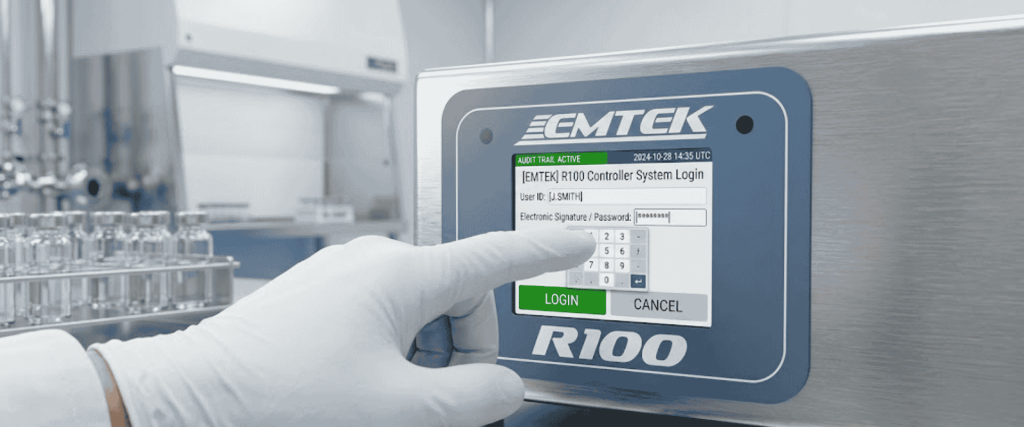
Part 11 matters when electronic records are created, changed, stored, retrieved, or transmitted under FDA predicate rules. For environmental monitoring, that usually means sample runs, operator identity, site details, flow alarms, calibration status, and exported reports used as GxP records.
Part 11 does not replace GMP requirements. It works with them. Your firm still owns validation, procedures, training, and the decision about which records are regulated.
Why Part 11 Matters for Microbial Air Sampling
Remote air sampling often happens on filling lines, isolators, LAF hoods, BSCs, and BFS chambers. The R100 is designed for those fixed process points. It runs remote air sampler heads through vacuum tubing so the critical zone stays clean while the controller manages the run.

If sample data is used for batch decisions, investigations, or regulatory evidence, weak electronic controls create real risk.
- Unclear operator identity on a failed or incomplete run
- Missing site or program details on exported data
- Uncontrolled edits or deleted runs with no review trail
- Calibration due dates that are ignored
- Paper reprints that do not match the electronic original
Strong Part 11 practice reduces those gaps before an auditor finds them.
Step-by-Step Process: Maintain Part 11 Compliance with R100 Controllers
1) Define which R100 records are regulated
Decide, in writing, which outputs are GxP records.
- Sample run logs and unique sample IDs
- Site and program settings used for official monitoring
- Alarm events tied to a production or validation activity
- Printed labels and USB/PC exports retained in the batch or EM file
- Calibration certificates and due-date evidence
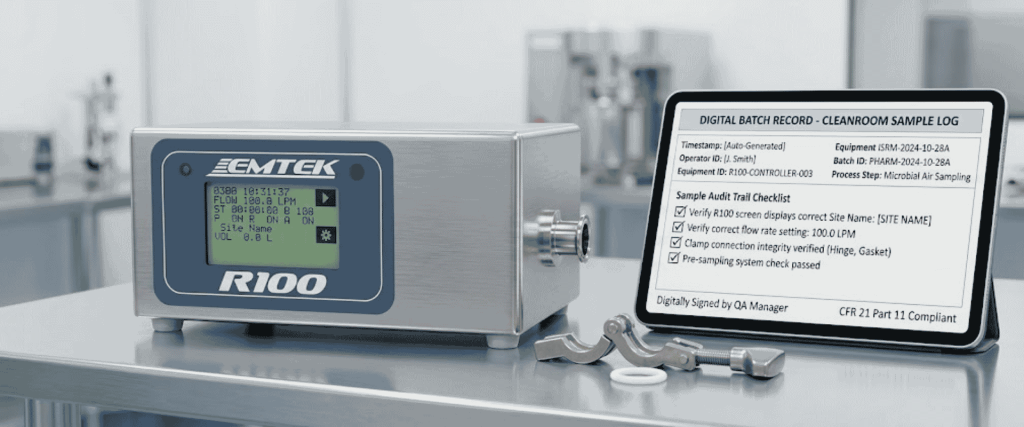
If a record supports a GMP decision, treat it as regulated from creation through archive.
2) Validate the system for intended use
Part 11 expects systems to be fit for purpose. For the R100, document intended use, then qualify installation and operation.
- Confirm controller identity, firmware version, and configuration baseline
- Verify flow rates used on site, usually 28.3 LPM and/or 100 LPM
- Challenge tubing length limits for remote heads
- Test delay, test, and hold programs your process actually uses
- Confirm printer, USB, and network export paths if they are part of the record chain
- Record acceptance criteria and deviations

Reassess after firmware changes, major configuration changes, or process moves.
3) Lock down user access
Set up unique user accounts. Do not share operator logins.
- Keep admin rights limited to qualified staff
- Restrict who can create users, change calibration settings, edit site lists, or clear stored runs
- Require password changes on a defined schedule
- Disable accounts when staff leave or change roles
- Review active users during periodic access audits
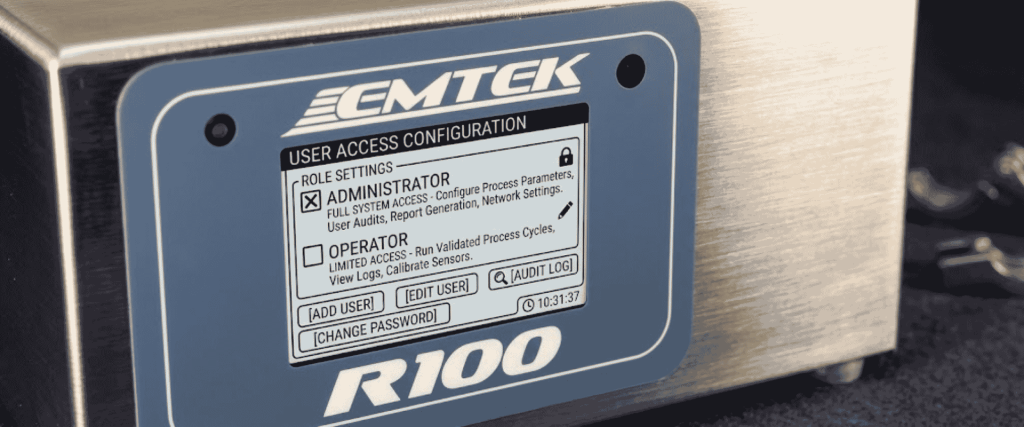
Access control is one of the fastest ways to show inspectors that electronic records are under management control.
4) Standardize sample setup before every run
Write a simple pre-run checklist and keep it near the unit or in the EM SOP.
- Confirm the correct user is logged in
- Select the approved site description
- Load the approved sample program
- Verify flow rate and target volume or time
- Confirm media type, fill height, and inlet cover match the method
- Check calibration status is within due date
- Confirm remote head placement and tubing integrity
- Start the run only after the area is ready

Consistent setup prevents incomplete records and method drift.
5) Protect run data during and after sampling
During the run, capture what happened, not only the planned settings.
- Leave flow alarms enabled unless a documented exception exists
- Record interruptions, pauses, and aborts in the batch or EM log
- Do not clear controller memory until data is exported and verified
- If a printer is used, attach or file the label with the related plate and sample ID
- If USB or PC export is used, use controlled folders with restricted write access
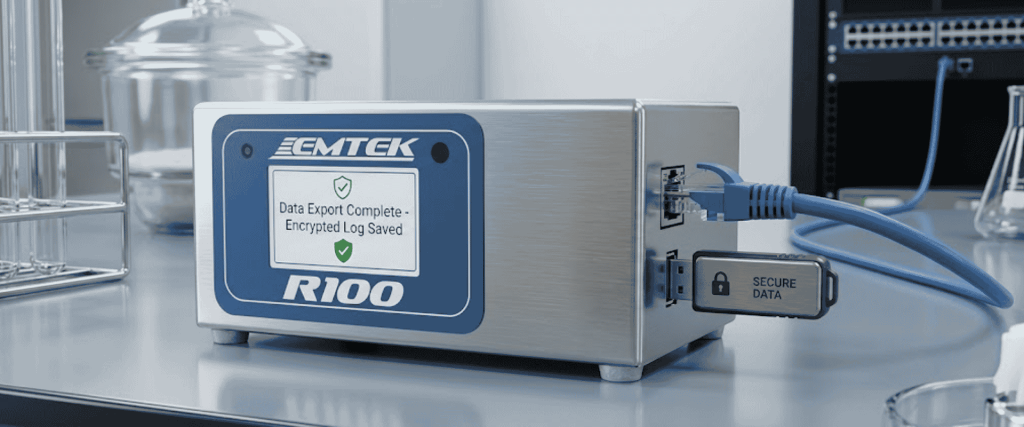
Your goal is a complete chain from plate to electronic record to archive.
6) Control exports, copies, and retention
Part 11 issues often appear after the sample ends. Decide how records leave the controller.
- Preferred export method for official records
- File naming rules that include date, site, unit ID, and sample ID
- Who verifies that the export matches the on-device run summary
- How long records are retained
- How backups are tested for restore
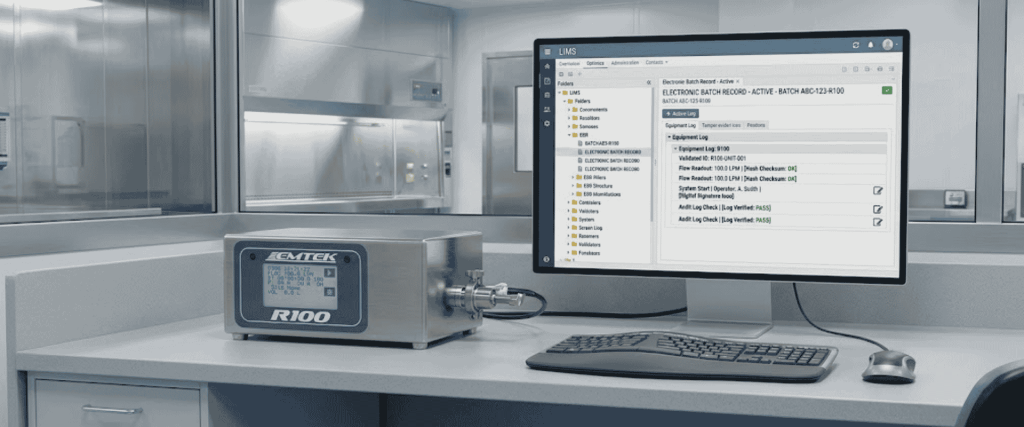
Keep official copies in a controlled repository. Local USB sticks and uncontrolled shared drives create inspection findings.
7) Keep calibration and maintenance under change control
Accurate flow is part of record integrity. Build a metrology plan around the R100.
- Set calibration intervals, commonly every 6 to 12 months unless your risk assessment says otherwise
- Track due dates on the controller and in the site calibration system
- Control who can update calibration set points
- Document HEPA filter replacement, sanitization, and service events
- Quarantine units that fail checks until they are restored and released
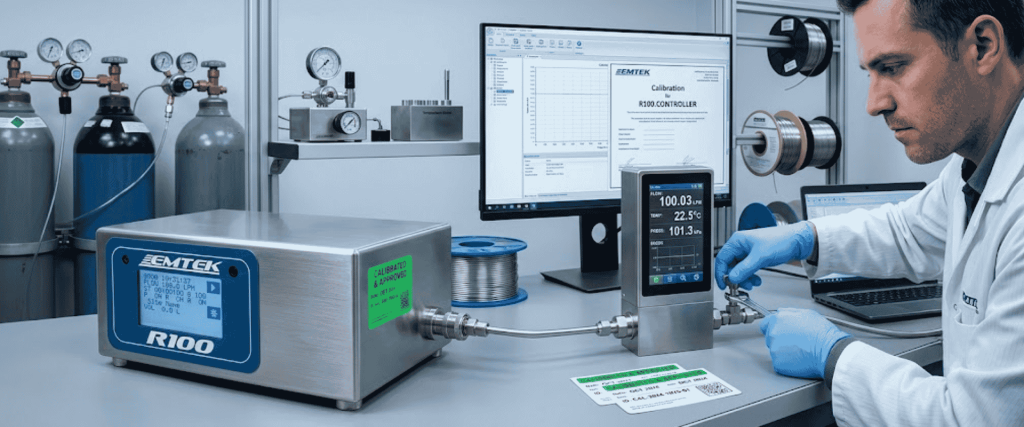
A valid electronic record still fails if the instrument was out of calibration when the sample was taken.
8) Train users and test the process
Training should cover real tasks, not only theory.
- Logging in and selecting the right role
- Building or selecting approved programs
- Entering site descriptions correctly
- Responding to alarms
- Exporting and filing records
- Knowing when to stop and open a deviation

Refresh training after SOP changes, new accessories, or repeated human-error deviations.
9) Review the system on a fixed schedule
Set a periodic review, for example, quarterly or after a defined number of runs.
- User access list
- Open calibration items
- Failed exports or missing sample IDs
- Alarm trends by site
- SOP gaps found during investigations
- Backup restore tests

Close actions with owners and due dates. Keep the review package ready for inspection.
Common Compliance Mistakes to Avoid
- Treating the controller as Part 11 compliant without site procedures and validation
- Shared passwords on the production floor
- Running with blank site fields or free-text names that change every shift
- Clearing memory before export verification
- Using unofficial USB drives with no chain of custody
- Ignoring flow alarms because the run finished anyway
- Keeping two conflicting versions of the same sample record in paper and electronic files
- Skipping revalidation after firmware or configuration changes
Part 11 Expectations Mapped to R100 Controls
Use the table below as a practical checklist when writing SOPs or preparing for inspection.
| Part 11 focus area | What auditors look for | R100-related control to put in place |
|---|---|---|
| System access | Only authorized people can create or change records | Enable admin/user roles, unique IDs, and password discipline; lock configuration to admin accounts |
| Record integrity | Records are accurate, complete, and protected from improper change | Capture full run parameters, alarms, site IDs, and unique sample IDs; control who can clear memory |
| Operational checks | Invalid or altered records can be detected | Review exported run logs against printed labels; investigate missing runs or alarm events |
| Authority checks | Device functions match assigned responsibilities | Separate operator rights from admin rights for calibration, user setup, and data purge |
| Device checks | Input and output devices work as intended | Qualify touch screen, printer, USB, and network export paths during IQ/OQ and periodic review |
| Audit readiness | Records can be retained and retrieved for review | Define export frequency, archive format, retention period, and backup ownership in SOPs |
| Training | Users understand their duties for electronic records | Train operators on login, program selection, site entry, alarm response, and export steps |
Conclusion
Maintaining 21 CFR Part 11 compliance with R100 Controllers is an operating system, not a product claim.
The R100 gives you the technical pieces you need for controlled electronic sampling records: user roles, site and program control, unique sample IDs, alarm capture, and structured export options.
Your job is to turn those features into daily practice through validation, access control, standard run setup, verified archives, calibration discipline, and trained operators.
When those controls stay active, microbial air sampling data is easier to defend.
Inspectors see who ran the sample, where it was taken, what settings were used, whether alarms occurred, and how the record was retained.
That is the standard your cleanroom monitoring program should meet every day, not only during audit week.
Frequently Asked Questions (FAQs)
1. What is the R100 Controller used for?
The R100 Controller is a remote microbial air sampler controller used for process monitoring in critical cleanroom zones such as isolators, LAF hoods, BSCs, and filling lines. It operates remote sampler heads through vacuum tubing while storing electronic run data.
2. Does buying an R100 make a facility Part 11 compliant?
No. The controller can support Part 11-related data controls, but compliance depends on your validated use, SOPs, access management, training, export controls, and record retention practices.
3. Which R100 data should be treated as electronic records?
Treat sample runs, unique sample IDs, site and program settings, alarm events, exported files, printed labels used as official records, and calibration evidence as regulated when they support GMP decisions or required EM documentation.